PlainJob Get early access

Free handyman quote maker

Fill in the job, add your line items and tax, then print it or save it as a PDF. No sign-up, and nothing you type leaves your browser.

Your business
Customer
Line items
Details

Tip: on a phone, tap the button, then share the PDF straight into a text to your customer.

What to put on a handyman quote

A good quote answers the customer's questions before they ask them. Include these and you'll spend less time on the phone explaining it:

  1. Your business name and how to reach you. Phone and email at the top, so they can say yes without hunting for your number.
  2. Who it's for and where. The customer's name and the job address, which matters when they own more than one property.
  3. A quote number and date. When they call about "the quote", you both know which one.
  4. Line items, not one lump sum. Break the job into tasks and materials. Customers trust a price they can read, and it's easier to drop one line than lose the whole job.
  5. Sales tax, if it applies. Show it on its own line so the total isn't a surprise.
  6. How long the price is good for. Material prices move. A 14 to 30 day window protects you.
  7. Payment terms. Deposit, when the balance is due, and how you take payment.
  8. What's not included. One sentence here prevents most arguments at the end of a job.

Quote, estimate or invoice?

Estimate
A rough number, often given on the spot. The final price can change.
Quote
A firm price for the work listed, good until a set date. This tool makes quotes.
Invoice
The bill once the work is done. It usually repeats the quote's line items and asks for payment. Make one with the free invoice maker.

Five habits that win more jobs

Want customers to approve it from their phone?

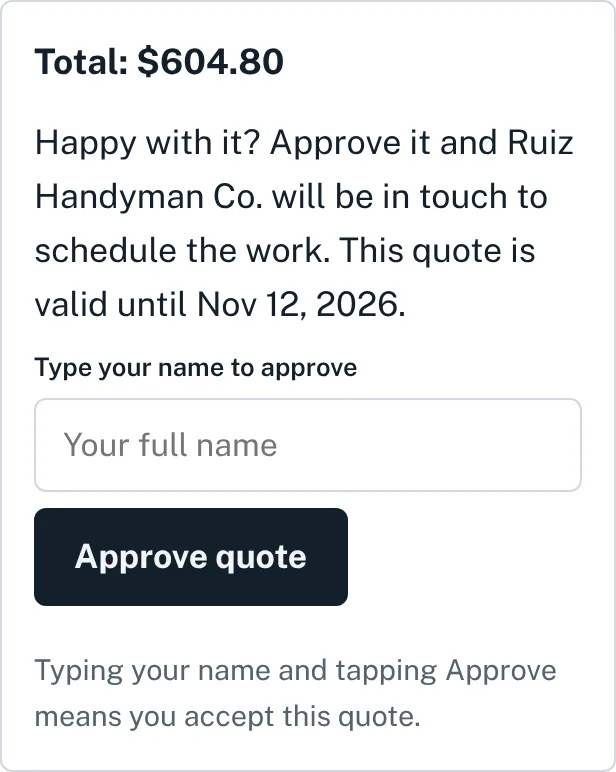
PlainJob sends your quote as a link. Your customer opens it, types their name and taps Approve. Then it becomes the job, the calendar entry and the invoice. $39 a month for up to 3 people.

Get early access
A PlainJob quote on a phone with a box to type a name and an Approve quote button.

Questions

Is the quote maker really free?

Yes. There's no sign-up and no limit. Fill it in, then print it or save it as a PDF.

Do you save what I type?

No. Everything stays in your browser and nothing is sent to us. If you close the page, the quote is gone, so save the PDF first.

How do I save the quote as a PDF?

Tap Print or save as PDF. On a computer, choose Save as PDF as the printer. On an iPhone, use the share button in the print preview. On Android, choose Save as PDF.

Should I charge sales tax on handyman work?

It depends on your state, and sometimes on whether a line is labor or materials. Check with your state's tax department or your accountant, then enter the rate that applies. Leave it at 0 if you don't charge tax.

Can my customer approve the quote online?

Not with this free tool, which makes a printable quote. PlainJob, our job app, sends a link your customer opens on their phone and approves by typing their name.